
How do I edit a user's information?
To edit a user's information, a Super Admin or Team Admin can select the user in the Admin Console's Users & Teams section and update their details via the Edit action. Follow the steps below to make changes.
Available with: Team Plans Role: Super Admin, Team Admin
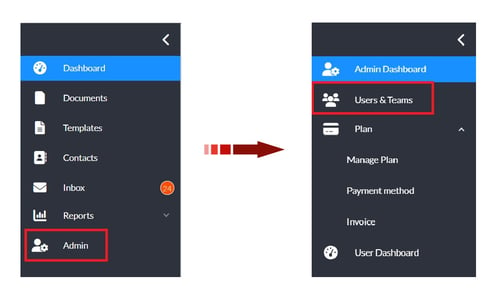
- From the user dashboard, navigate to the Admin Console by selecting Admin on the left sidebar menu.
- In the Admin view, select Users & Teams on the left sidebar menu.
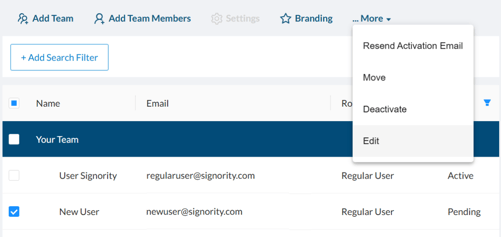
- Select the checkbox next to the user you would like to update.
- In the action menu above the users table, click More > Edit.
- In the pop-up that appears, make the required changes to the user's information, such as name, email address, or role.
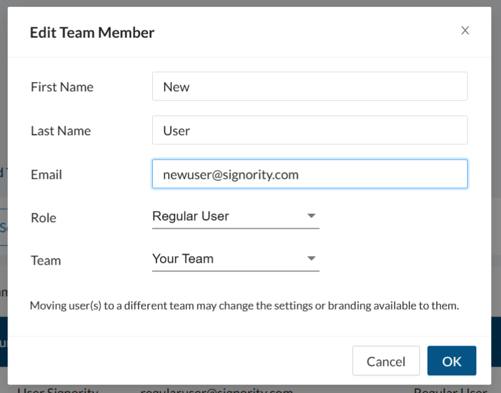
- Click OK when you are done to save the changes.