
Original Question or Issue:
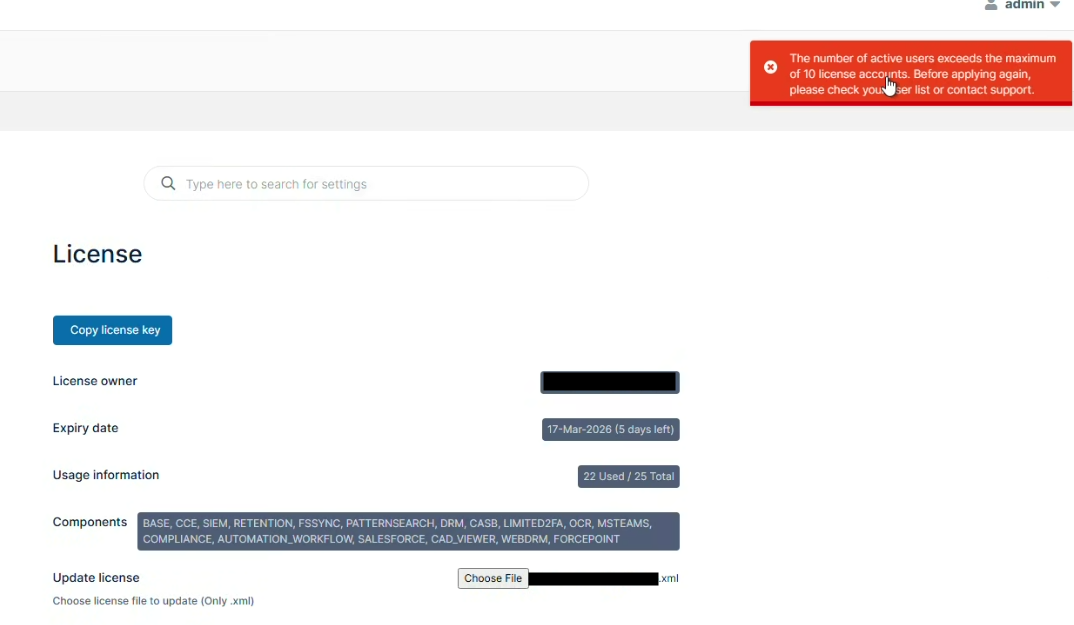
How to upload a new FileCloud license if the new license has a less seats than the number of licensed users in the Admin Portal?
Environment:
- Product - FileCloud Server, FileCloud ServerSync, FileCloud Sync, FileCloud Drive, FileCloud Desktop
- Version -
- Platform - Windows, Linux, MacOS
Steps to Reproduce:
Error or Log Message:
Defect or Enhancement Number:
Cause:
When a new license needs to be installed in the Admin Portal, but it will only support a number of users that is lower than what currently exists in the FileCloud Admin Portal, the new license will fail to install and will return an error.
Resolution or Workaround:
Full or Guest access users will have to be disabled and leave only the same number of users that is supported by the new license. This can be done from the Admin Portal >> Users >> User Details. The Access Level needs to be set to Disabled and Saved.
Do this until the number of users match what is in the new license.
Notes: