
What is a PDF/A file?
A PDF/A file is the internationally recognized standard for long-term archiving of electronic documents, ensuring consistent viewing of documents in their original format across software platforms and devices. The 'A' stands for 'Archival,' meaning all content, fonts, and color information are embedded within the file so the document looks identical regardless of the device used. Standard PDFs (Portable Document Format) provide a reliable format for presenting and exchanging documents across systems. PDF/A extends this by prohibiting features unsuitable for long-term archiving, guaranteeing the document can be faithfully reproduced in its original form.How do I save documents as a PDF/A?
Note: Plan availability may vary. Contact your Signority sales representative to confirm whether this feature is included in your plan and to enable it.
To save finalized documents as a PDF/A file, follow these steps:
- Open Signority and navigate to the Admin Console. (Access the Admin Console from your account or profile menu.)
- Go to Settings. The Global Settings pop-up will appear.
- Under the Document section, open the dropdown for PDF type output for finalized documents.
- Select PDF/A-2b.
- Click Save in the top right.
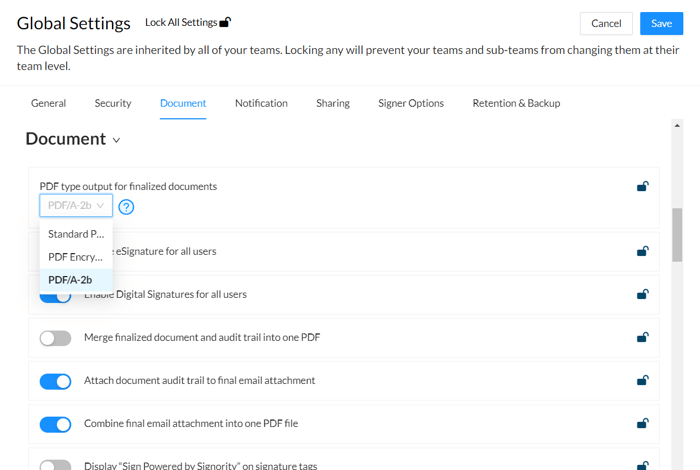 Your documents will now be saved as a PDF-A once they are finalized.