
How do I send invoices and overage notifications to additional email addresses?
You can set your account up so that invoices and overage notifications are sent to up to 20 additional email addresses. Follow the steps below to configure this setting.- Open the top-right dropdown menu and select Profile Settings.
- Navigate to Account and scroll to the bottom of the page.
- Locate the My Invoice option and check the checkbox.
- Enter up to 20 email addresses, separated by commas.
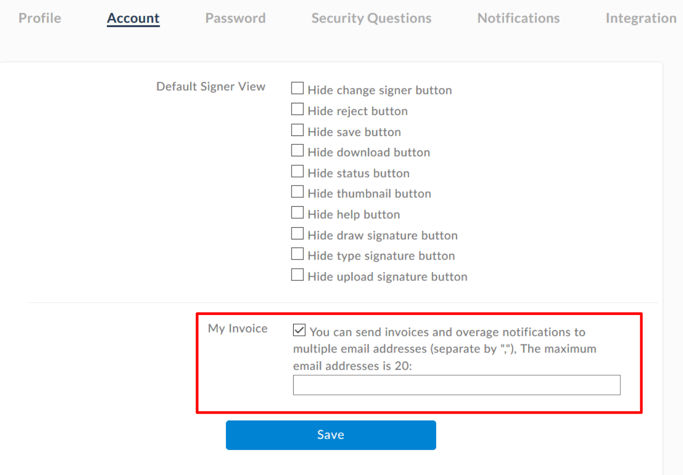 Select Save. Invoices and overage notifications will then be distributed automatically to all saved email addresses, eliminating the need to forward them manually.